
Drive Works
Collect, copy, verify and inspect storage media from one guided Windows application. EWF (E01 / Ex01) imaging, multi-hash integrity checks, live sector maps and per-job session logs — with operator safety and write-blocker awareness built in.
Ten workflows in a single shell — imaging, cloning, restore, verification, examination and secure sanitization — so there's no switching between utilities and every action is logged for defensible, repeatable results.
Every workflow on one screen
Start every job from one place — acquisition, verification, examination and destructive tools grouped with clear safety cues, so field operators need minimal training.
Card-first layout with plain labels and grouped sidebar (Acquisition · Verification · Examine). Colour safety cues — read-only, caution and destructive paths are visually distinct. Case header strip — case number, evidence date and media type on every job page. Fix / Reset layout to save card order or restore defaults on shared PCs.
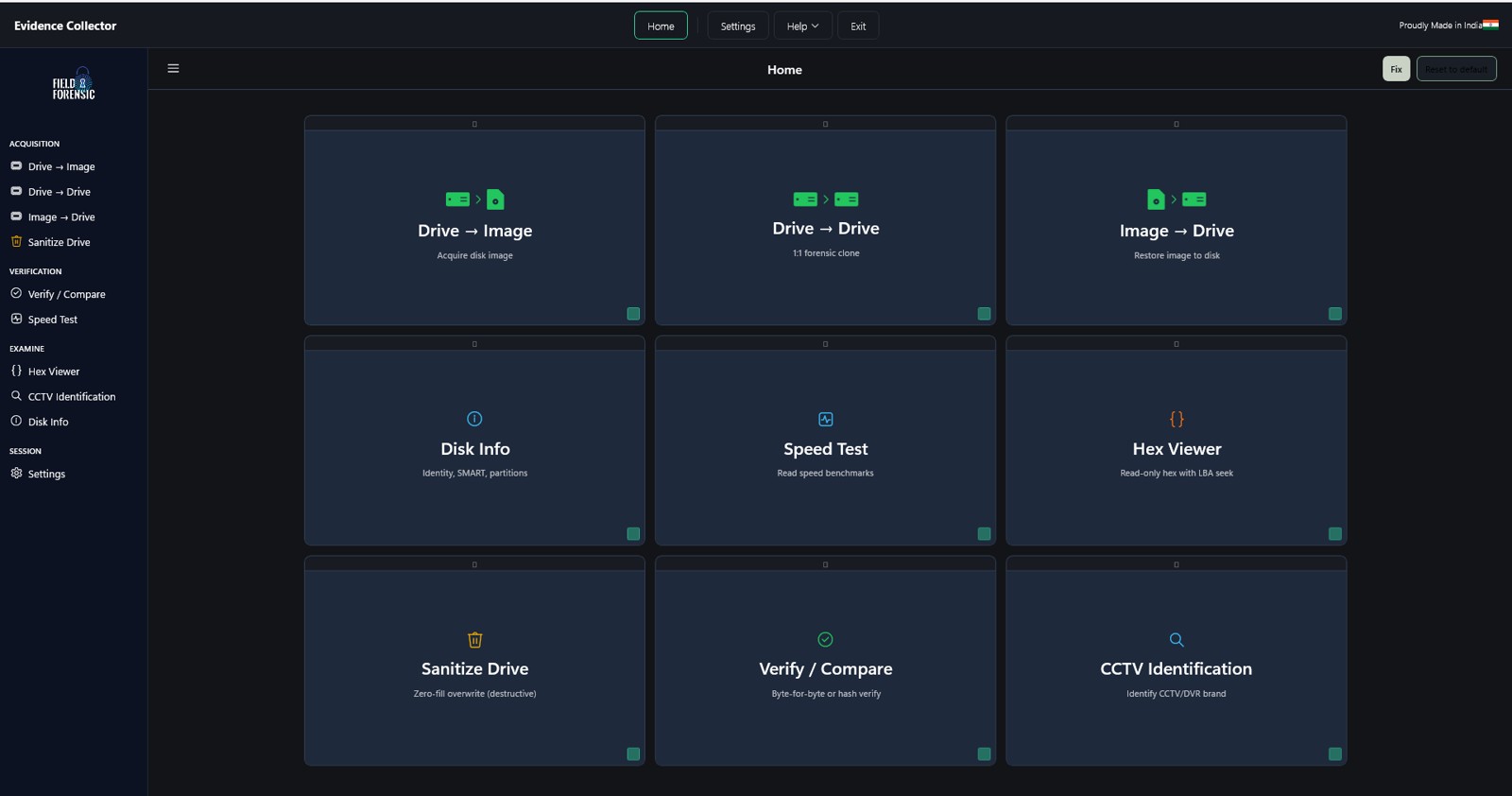
The complete toolset
Imaging, cloning, restore, verification, inspection and sanitization — without leaving the application.
Drive → Image
E01 / Ex01 forensic imaging
Drive → Drive
1:1 forensic clone
Image → Drive
Restore image to disk
Verify / Compare
Byte-for-byte or hash verify
Disk Info
Identity, SMART, partitions
Speed Test
Read-only benchmarks
Hex Viewer
Read-only hex with LBA seek
Sanitize Drive
Zero-fill overwrite
Settings
Defaults, safety & reporting
Session Logs
HTML reports per job
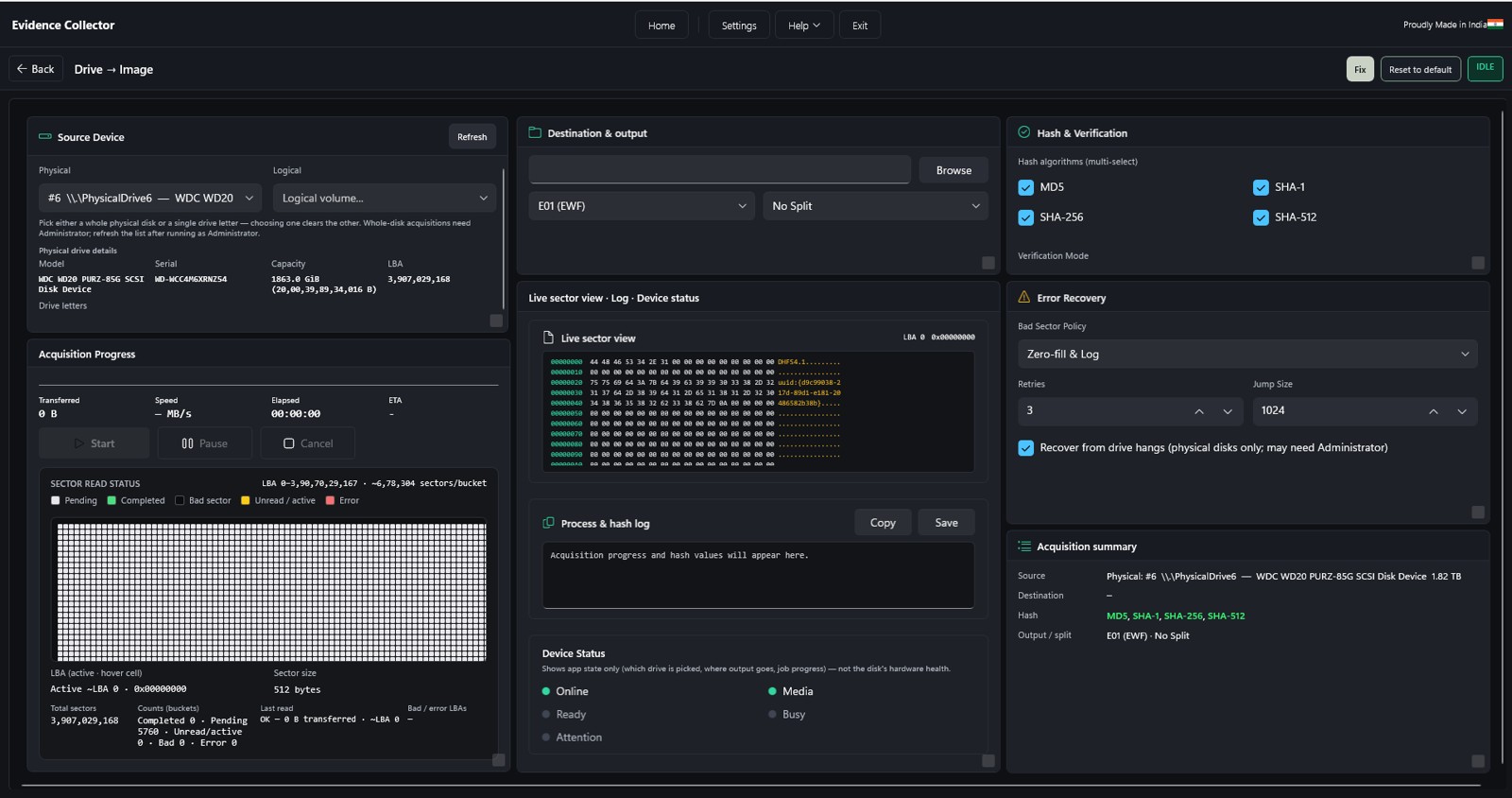
Drive → Image
Create E01 / Ex01 forensic images from physical or logical sources with live sector maps, hashing and exportable logs.
EWF-native output with MD5, SHA-1 & SHA-256 embedded via libewf. Whole physical disk or a single logical volume. Live sector map — pending, completed, bad and error regions. Bad-sector policy: zero-fill, retries and recover-from-hang for failing media.
Drive → Drive
Clone a source disk to destination media with pre-flight checks, offline safety, live progress and post-clone verification.
Source / destination picker with model, serial and capacity upfront. Pre-flight checks warn when source and destination overlap. Throughput chart — rolling MB/s, elapsed time and ETA. USB / write-blocker I/O tuning and unplug-source handoff after verify.
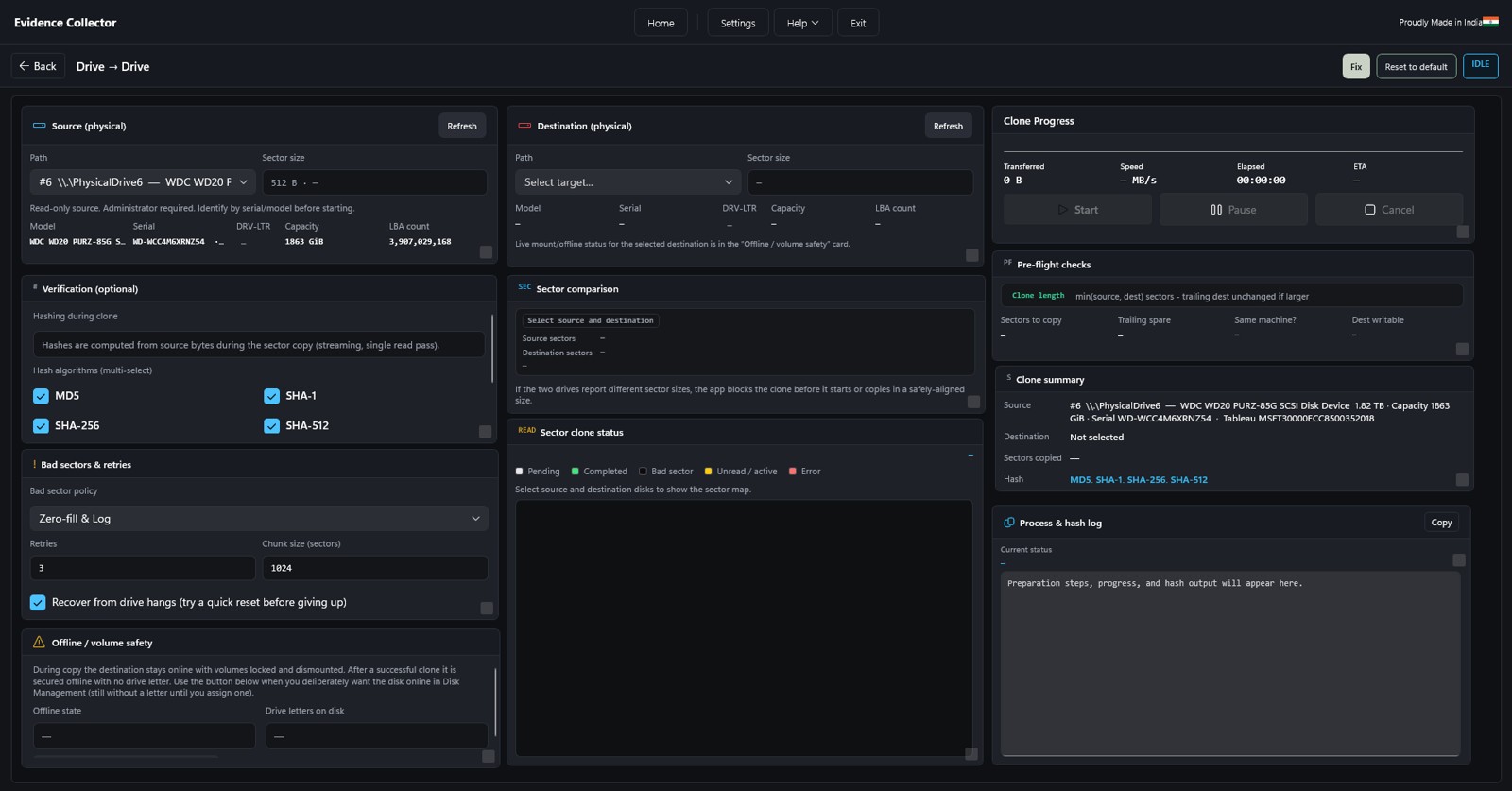
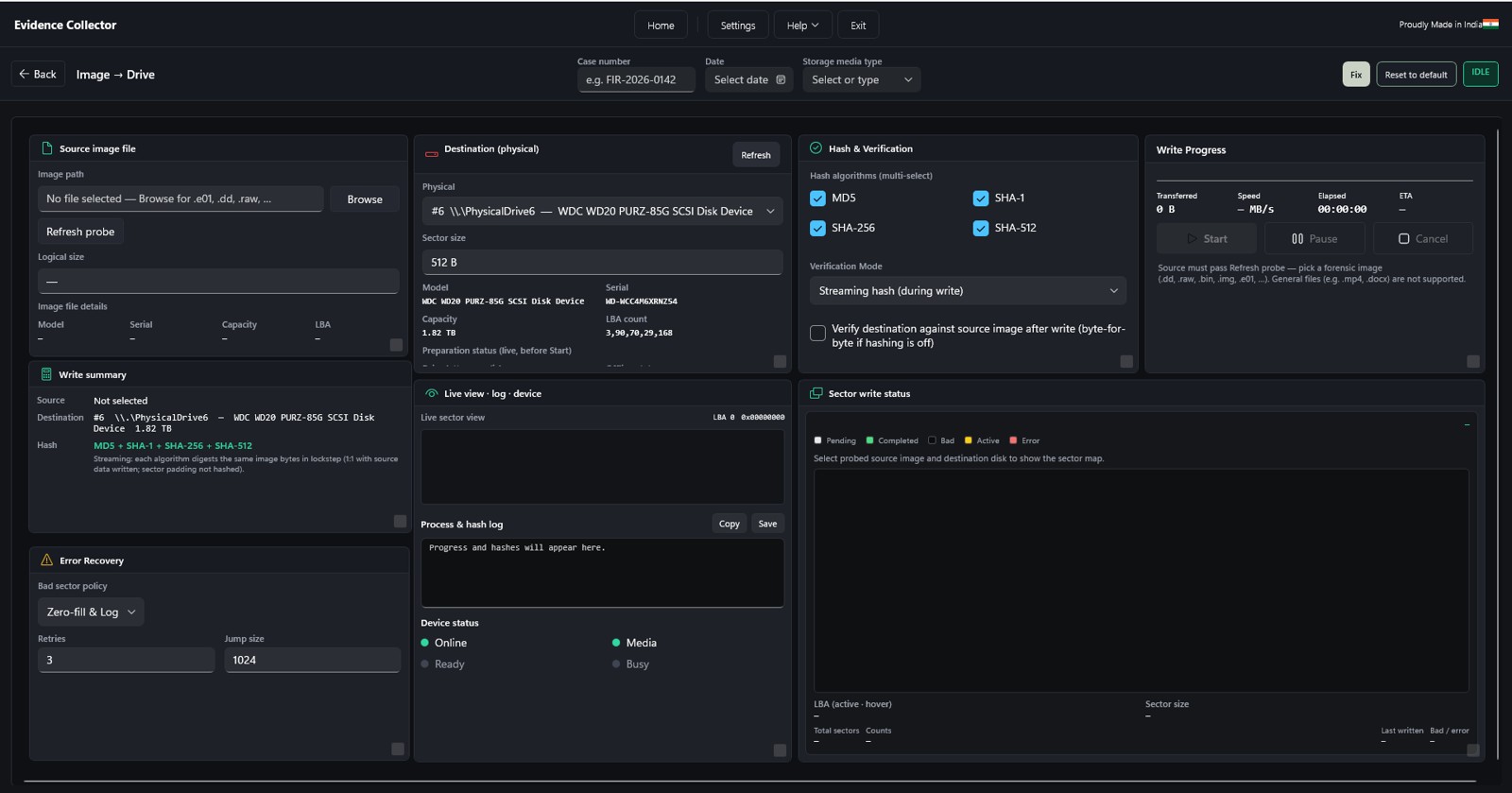
Image → Drive
Restore E01, Ex01 or raw image files back to a physical disk with streaming hash verify and the same progress UI as acquisition.
Open segmented E01 sets or single raw image files. Destination capacity and geometry checks before writing. Streaming hash verify confirms restored content. Dual confirmation before destructive writes, plus exportable HTML log.
Verify / Compare
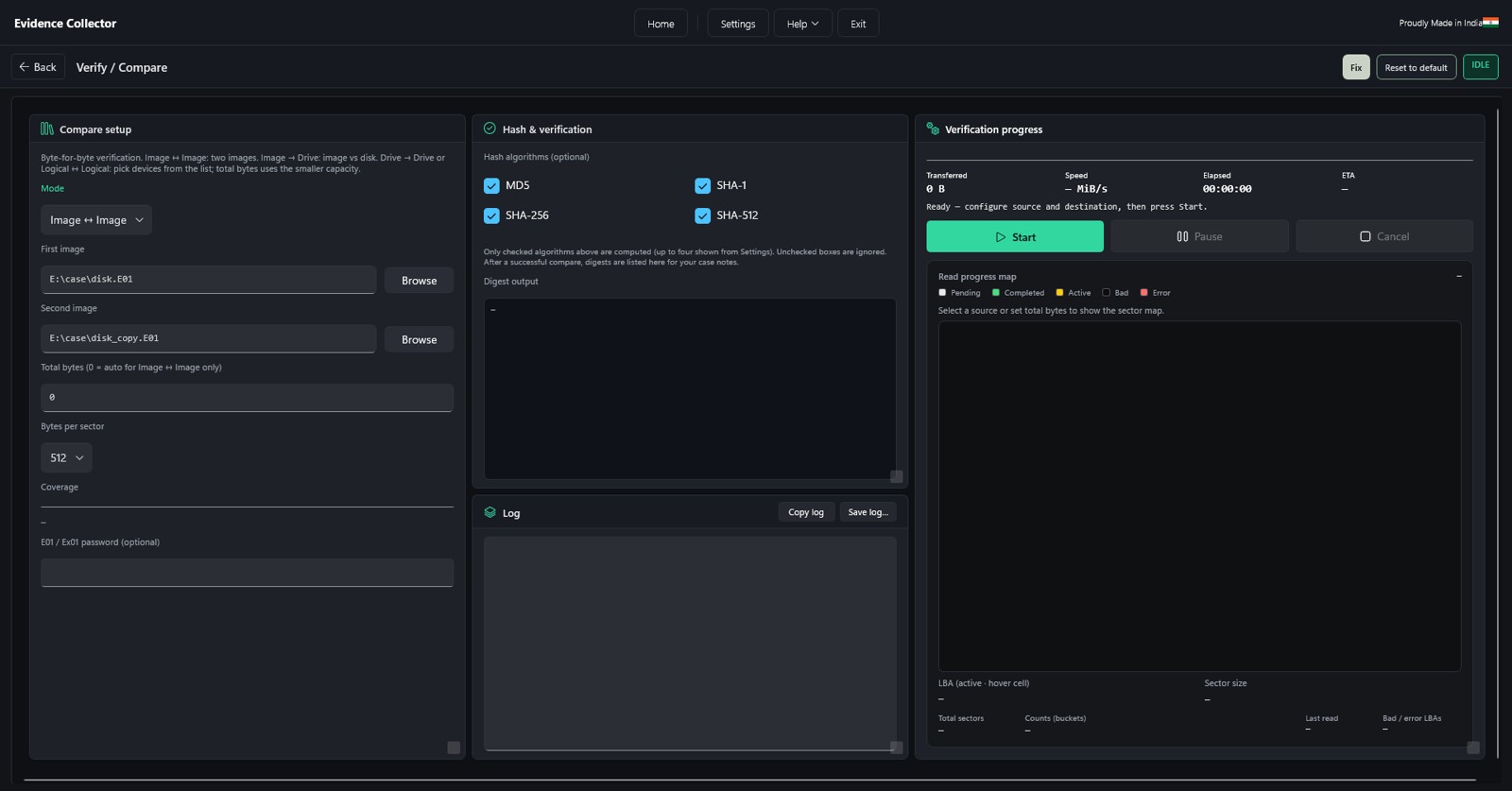
Prove two sources match — image-to-image, image-to-disk or drive-to-drive — with multi-hash digests and sector-level mismatch detail.
Multiple compare modes and partition-aware scope. Optional MD5, SHA-1, SHA-256 and SHA-512 digest panel. Read progress map and overlap warnings for same-disk pairs. Folder hashing — per-file digests plus a folder-hash HTML report.
Disk Info
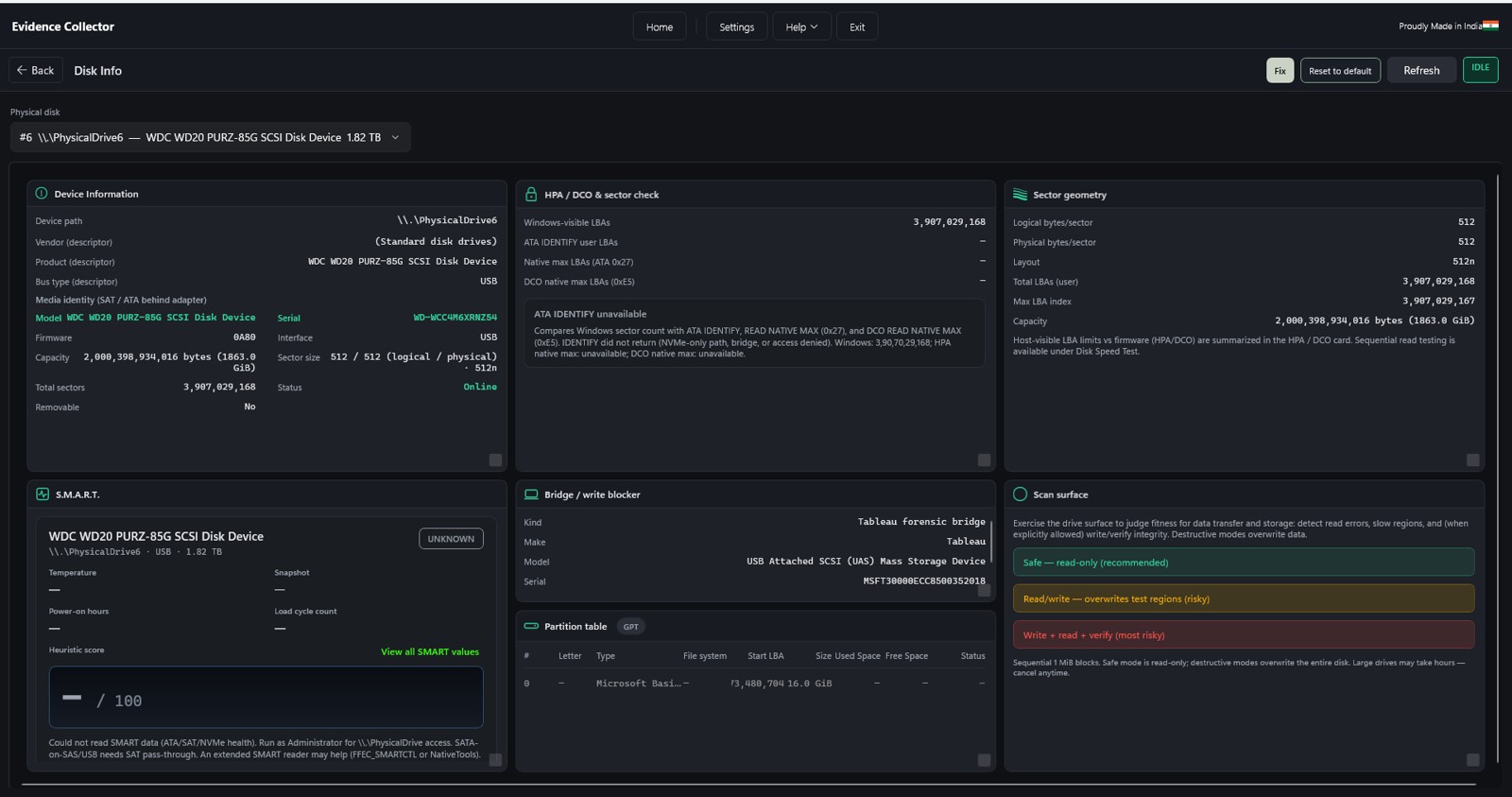
Profile a drive before imaging — identity, capacity, partition layout, SMART summary and sector geometry, all without writing to the disk.
Model, serial, firmware, interface and online state. Logical/physical sector size, LBA count and partition table. HPA / DCO notes and SMART heuristic health score. Write-blocker card showing forensic USB bridge identity.
Speed Test
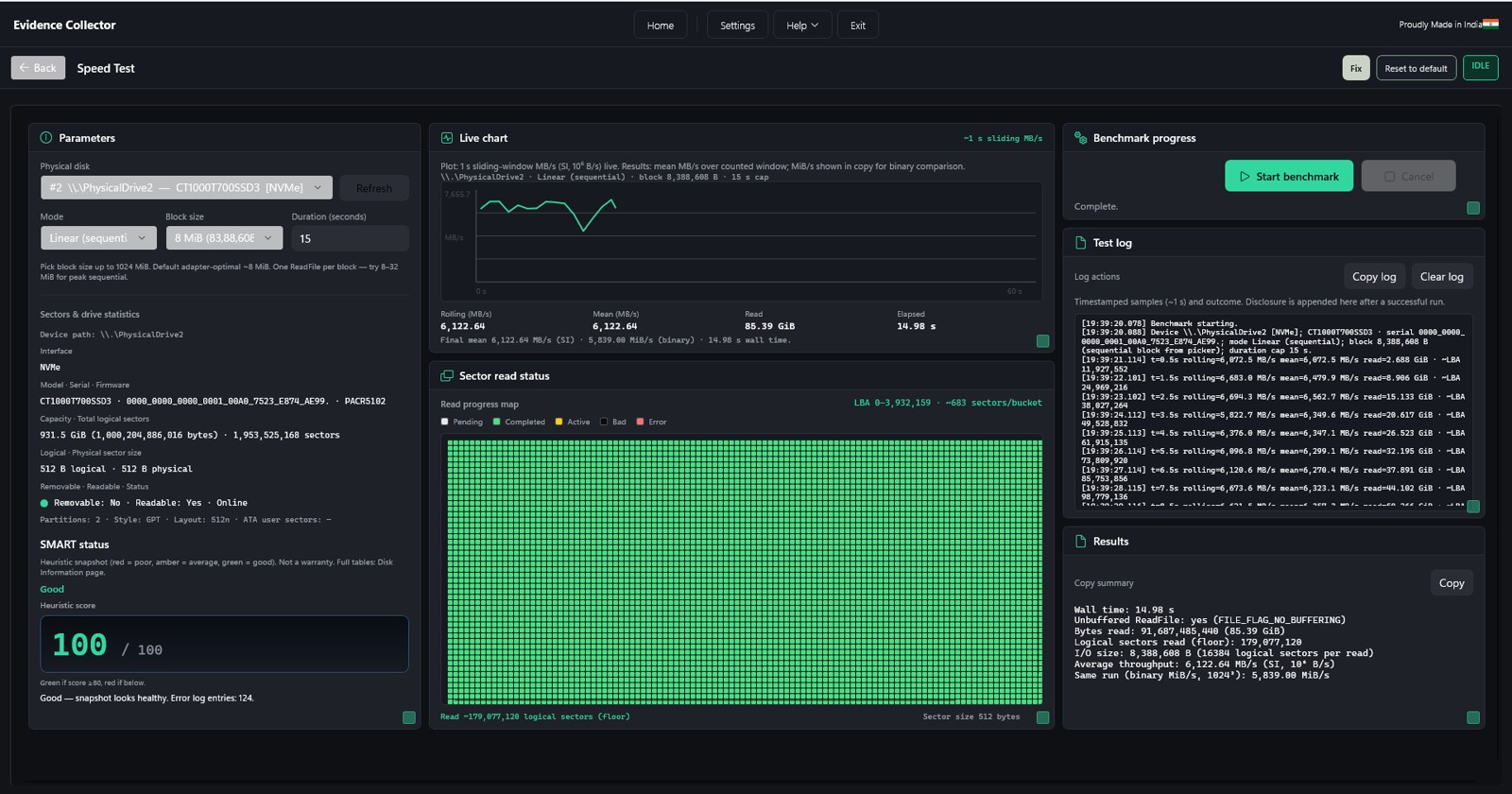
Exercise read throughput on a drive or image safely — benchmark before imaging, clone or verify jobs without ever writing to evidence.
Read-only surface exercise — no writes to the source media. Live rolling-window MB/s chart and sector read map. Elapsed and ETA to plan field time before a full acquisition. Copy or save results for case documentation.
Hex Viewer
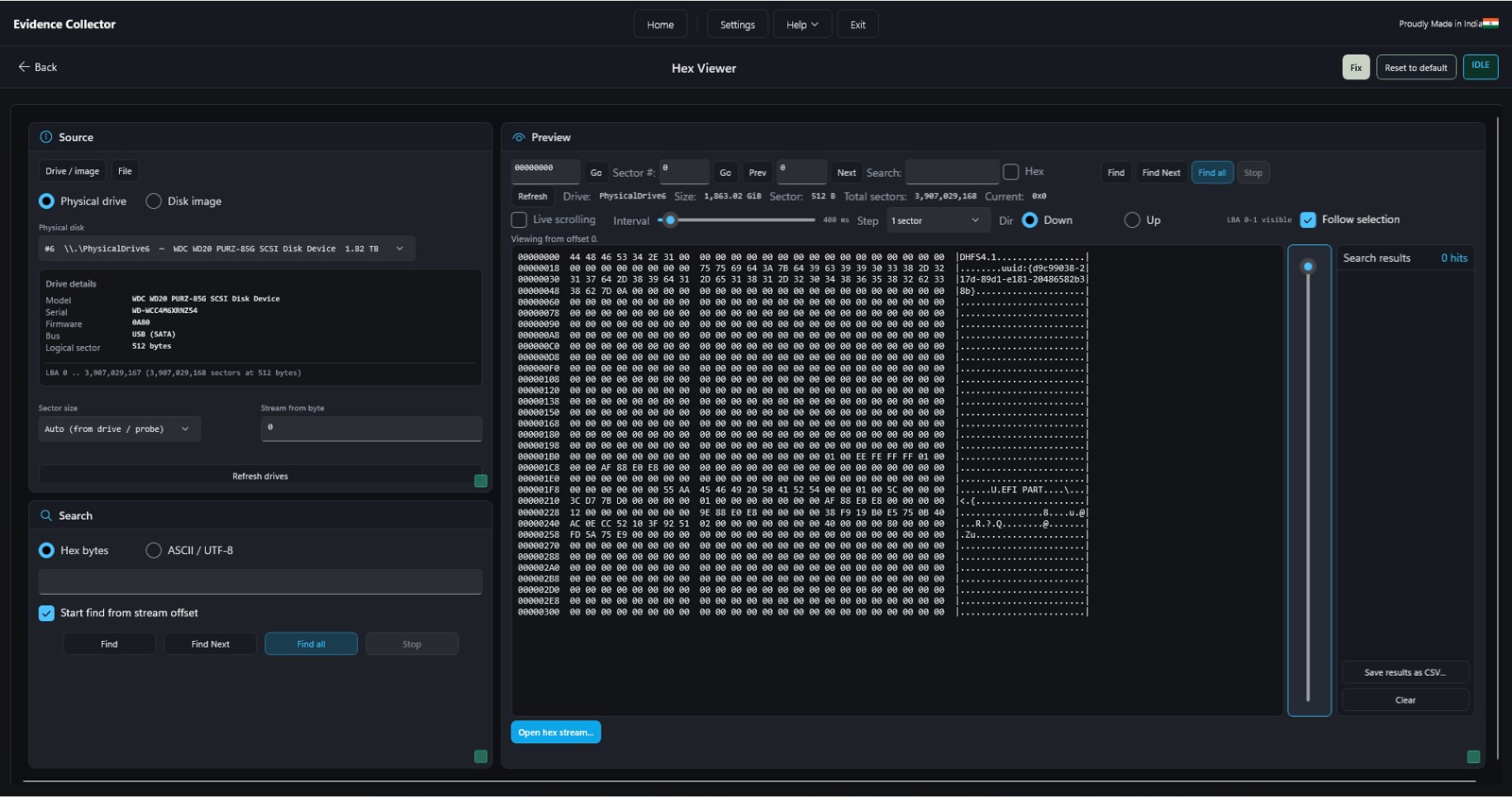
Inspect raw bytes at any LBA — a read-only hex view with seek, search and an ASCII column for quick spot checks in the field.
Read sectors directly from physical disks or image files. LBA navigation to boot sector, partition or signature checks. Hex + ASCII dual-pane with byte-pattern search. No writes — safe to use on evidence prior to imaging.
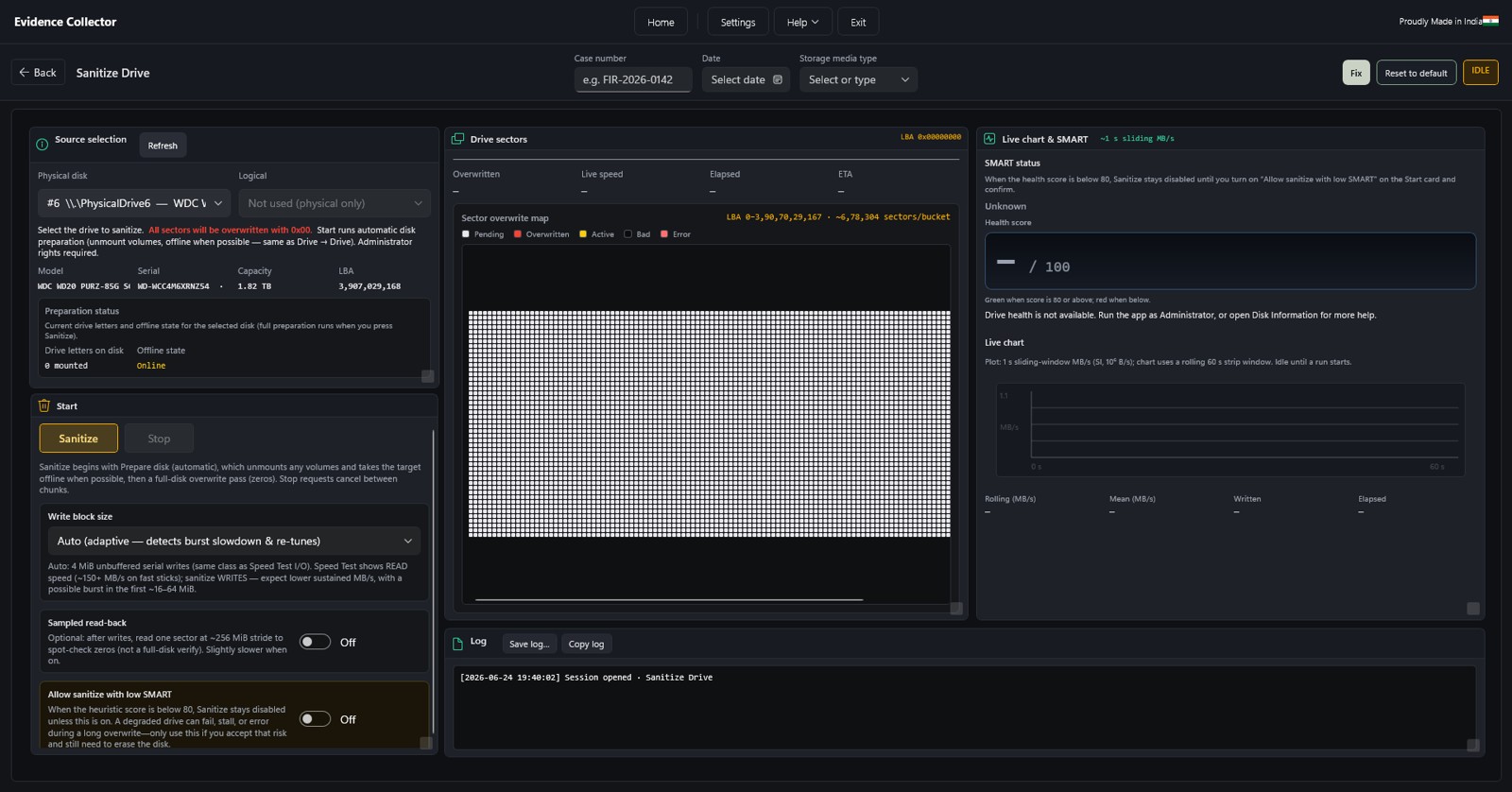
Sanitize Drive
Overwrite every sector on a physical disk with visible warnings, a SMART health gate, adaptive block size and full session logging.
Full-disk overwrite — all sectors written with 0x00. SMART health gate — blocked below score 80 unless overridden. Adaptive block size and optional sampled read-back pass. Dual confirmation, with case metadata recorded in the HTML report.
Operational safeguards
Safeguards, logging and operator guidance stay with the job from connect to case handoff.
Write-blocker detection
Tableau and other USB bridges identified via PNP; identity carried into Disk Info, session logs and HTML reports.
Software write protection
Arm USB ports or connected disks before media is attached for an extra layer of safety.
Session logging
Structured HTML logs per workflow with session ID License_date_time[_case].
Case & custody fields
Case number, evidence date and storage media type recorded in every HTML session report.
Clone & sanitize guards
Destination prep, dual confirmation and visible destructive warnings on every write path.
Checklists in Help
Authorization, labelling, source/destination roles and custody notes built into the app.
Native Windows, forensic-grade
WinUI 3 native Windows shell with administrator-aware prompts for raw disk access. EWF status in About — libewf readiness shown before you rely on E01 workflows. Made in India — part of the Field Forensic product line for field and lab operators.
Imaging, cloning & verification in one app
Less switching between utilities, more defensible results. Request a demo or a quote for Drive Works.